Best Fitness Apps That Sync with Apple Health (2026)

Co-Founder of Cora (YC W24). AI and robotics researcher with 500+ citations from Google Brain and UC Berkeley.
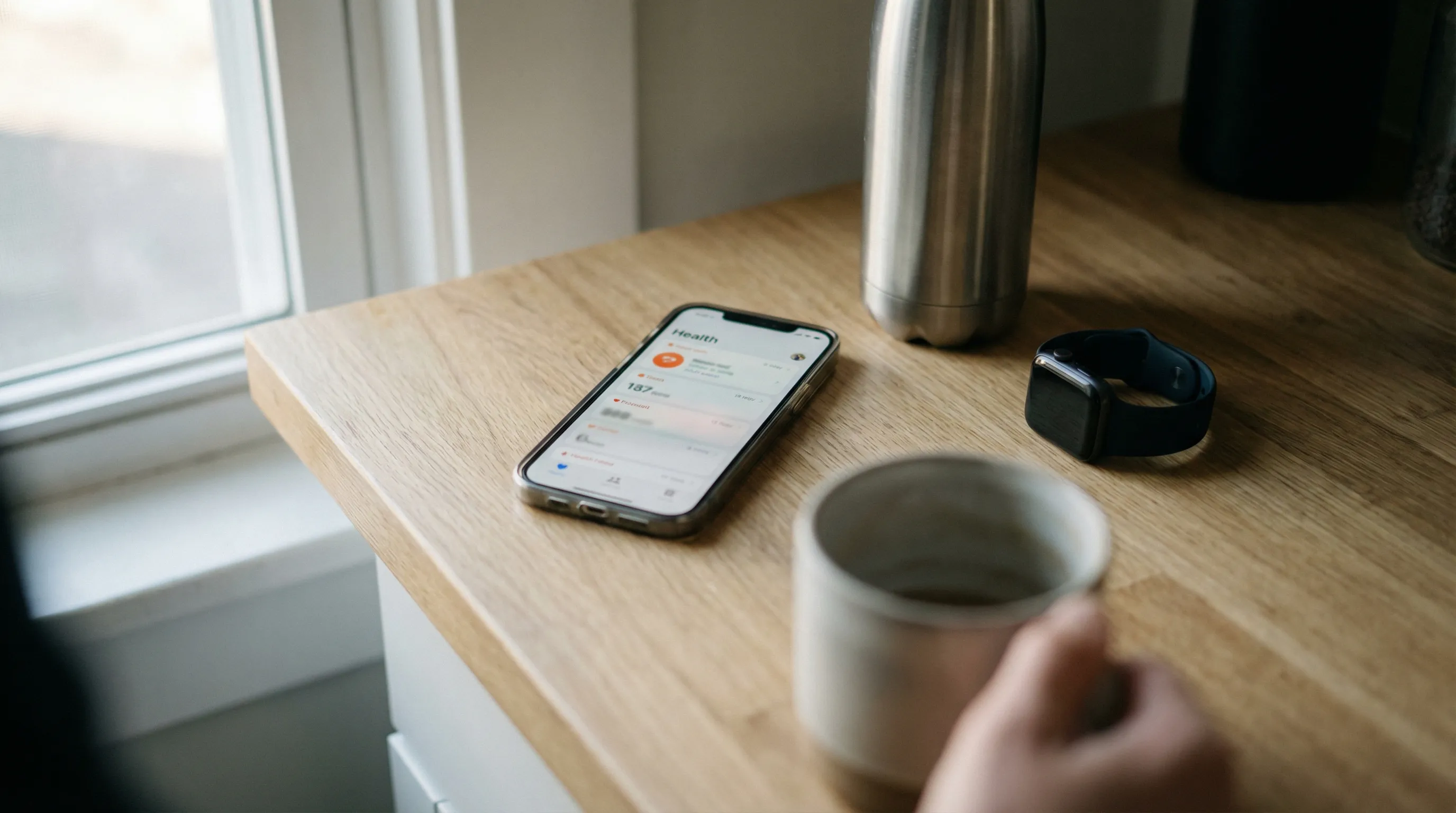
The best fitness apps that sync with Apple Health in 2026 are Cora (all-in-one training, recovery, and nutrition with deep read/write integration), Athlytic (recovery and strain scores), Fitbod (AI-generated strength workouts), Hevy (strength logging with social features), Strong (minimal strength tracker), Gentler Streak (activity streaks with recovery awareness), Streaks Workout (quick bodyweight routines), and MyFitnessPal (nutrition tracking). Among these, Cora stands out as the only app that both reads recovery data (HRV, resting heart rate, sleep) and writes workouts back to Apple Health while using that data to adapt your training plan daily. This guide compares what each app actually syncs, explains the difference between reading and writing Apple Health data, and helps you choose the right combination for your goals.
Apple Health is the central hub for health and fitness data on iPhone. It collects information from your Apple Watch, third-party apps, and even clinical records into one place. But Apple Health itself does not tell you what to do with that data. That is where third-party fitness apps come in, and the quality of their Apple Health integration determines how useful they actually are.
Not all integrations are equal. Some apps only write workout data to Apple Health so your Activity Rings update. Others read your sleep, HRV, and resting heart rate to make smarter training recommendations. This guide breaks down exactly what each popular fitness app syncs with Apple Health, why it matters, and which apps give you the most value from the health data your devices already collect.
Why does Apple Health integration matter for fitness apps?
Apple Health acts as a single source of truth for your health data. When a fitness app integrates properly with Apple Health, three things happen that make your experience meaningfully better:
- No manual data entry: Your Apple Watch automatically logs heart rate, steps, workouts, and sleep. A well-integrated app pulls this data without you lifting a finger, rather than asking you to manually enter how you slept or what your resting heart rate was.
- Cross-app insights: When multiple apps write to Apple Health, each app can benefit from data collected by others. Your nutrition app's calorie data becomes visible to your workout app, and your sleep tracker's data can inform your training app's recovery assessment.
- Complete health picture: No single app collects everything. Apple Health aggregates data from your watch, your scale, your blood pressure monitor, and all your apps into one unified record. Apps that read broadly from Apple Health can make better recommendations because they see more of your data.
If you are choosing between two similar fitness apps and one has deeper Apple Health integration, that app will almost always provide better, more personalized recommendations over time. For a broader look at how to choose a wearable that works well with your fitness apps, we have a separate guide.
What does "sync with Apple Health" actually mean?
When an app says it "syncs with Apple Health," that can mean very different things depending on the app. There are two directions of data flow, and the distinction matters:
- Writing to Apple Health: The app sends data it collects (like a completed workout, calories burned, or nutrition logs) into Apple Health. This is the most common integration. It keeps your Activity Rings accurate and lets other apps see what you did. Most fitness apps do this.
- Reading from Apple Health: The app pulls data that other sources have written to Apple Health, such as sleep data from your Apple Watch, HRV readings, resting heart rate trends, or workouts logged by other apps. This is less common but far more valuable, because it means the app can factor in your full health picture when making recommendations.
The apps that only write are essentially using Apple Health as a backup or Activity Ring updater. The apps that also read are using Apple Health as a data source to make smarter decisions. When evaluating apps, pay attention to which direction the sync goes.
What categories of health data can fitness apps access?
Apple Health organizes data into categories, and each app requests permission for specific types. Here are the categories most relevant to fitness apps:
- Workouts: Exercise type, duration, calories burned, heart rate during exercise, distance, and route data. This is the most commonly synced category.
- Sleep: Sleep duration, time in bed, and sleep stages (REM, deep, core). Only a few fitness apps read sleep data to adjust training recommendations.
- Heart rate variability (HRV): A key recovery metric measured by Apple Watch during sleep. Apps like Cora and Athlytic read HRV to calculate readiness scores.
- Resting heart rate: Your lowest heart rate during rest, tracked automatically by Apple Watch. Trends in resting heart rate indicate fitness improvements or overtraining.
- Nutrition: Calories, macronutrients (protein, carbs, fat), water intake. Nutrition apps write this data, and some training apps read it.
- Body measurements: Weight, body fat percentage, lean body mass. Scale apps and manual entries feed this data into Apple Health.
The more categories an app reads, the more context it has for generating useful recommendations. An app that only sees your workouts is making decisions with a fraction of the available information.
Which fitness apps sync with Apple Health? A comparison
This table shows exactly what each popular fitness app reads from and writes to Apple Health, along with pricing. Use it to compare integration depth at a glance.
| App | Reads from Apple Health | Writes to Apple Health | Key Health Data Used | Price |
|---|---|---|---|---|
| Cora | Yes (deep) | Yes | HRV, resting HR, sleep, workouts, active energy | $9.99/mo |
| Athlytic | Yes (deep) | Limited | HRV, resting HR, sleep, workouts | $5.99/mo |
| Fitbod | Yes | Yes | Workouts, active energy | $12.99/mo |
| Hevy | Yes | Yes | Workouts, body weight | Free / $9.99/mo |
| Strong | Minimal | Yes | Workouts | Free / $4.99/mo |
| Gentler Streak | Yes | Yes | Workouts, rest days, activity trends | $5.99/mo |
| Streaks Workout | Minimal | Yes | Workouts | $4.99 (one-time) |
| MyFitnessPal | Yes | Yes | Nutrition, workouts, weight | Free / $19.99/mo |
Want Cora to help with this?
Try Cora Free Text CoraHow does each app use Apple Health data? App-by-app review
Cora
Cora has one of the deepest Apple Health integrations of any fitness app. It reads HRV, resting heart rate, sleep duration, sleep stages, workout history, and active energy burned. It writes completed workouts back to Apple Health so your Activity Rings and other apps stay current. What makes Cora different is what it does with the data it reads: it generates a daily recovery score based on your sleep and HRV trends, then uses that score to adapt your training plan automatically. If you slept poorly and your HRV is down, Cora will suggest a lighter session. If your recovery metrics look strong, it will push you harder. This closed-loop approach, where read data directly influences training recommendations, is rare among fitness apps. Cora also includes nutrition tracking and AI coaching, making it a true all-in-one platform. For deeper comparisons, see our Athlytic Review, Hevy Review, and Fitbod Review.
Apple Health sync: Reads HRV, resting HR, sleep, workouts, active energy. Writes workouts.
Best for: Athletes who want their recovery data to directly influence their training plan, without managing multiple apps.
Athlytic
Athlytic is a recovery-focused app often compared to Whoop. It reads HRV, resting heart rate, sleep, and workout data from Apple Health to generate daily strain, recovery, and sleep scores. The dashboards are clean and easy to understand. Athlytic is one of the few apps besides Cora that reads sleep and HRV data to inform training readiness. The key difference is that Athlytic focuses entirely on monitoring and scoring. It does not include workout programming, nutrition tracking, or coaching. If you want recovery insights as a standalone tool to pair with a separate training app, Athlytic is a strong choice.
Apple Health sync: Reads HRV, resting HR, sleep, workouts. Limited write-back.
Best for: Users who want Whoop-style recovery scores using Apple Watch data, without a separate wearable.
Fitbod
Fitbod generates AI-powered strength workouts based on your training history and available equipment. It reads previous workout data from Apple Health to understand what muscles you have recently trained and adjusts future workouts to avoid overworking the same groups. It writes completed workouts back to Apple Health. Fitbod's Apple Health integration is solid for workout data but does not extend to reading sleep or HRV, meaning your recovery status does not influence workout recommendations.
Apple Health sync: Reads workout history. Writes workouts.
Best for: Gym-goers who want auto-generated strength workouts that adapt based on training history.
Hevy
Hevy is a popular strength training logger with a social community. It reads body weight from Apple Health and writes completed workouts, including exercises, sets, reps, and weight. The social feed lets you follow friends and share workouts. Hevy's Apple Health integration is functional but surface-level: it handles workout data well but does not read recovery metrics like HRV or sleep. For a deeper look at Hevy's features, check our best workout tracker comparison.
Apple Health sync: Reads body weight. Writes workouts.
Best for: Lifters who want social accountability and straightforward workout logging with Apple Health sync.
Strong
Strong is a minimal, no-frills strength training app. It writes completed workouts to Apple Health so your Activity Rings update, but its read integration is limited. The app does not pull recovery data, sleep metrics, or HRV from Apple Health. Strong is focused purely on being the best set-and-rep logger, and it does that well. If all you need is a reliable way to track lifts and have them appear in Apple Health, Strong delivers.
Apple Health sync: Minimal read. Writes workouts.
Best for: Lifters who want a clean, simple workout logger that keeps Apple Health updated.
Gentler Streak
Gentler Streak takes a different approach to fitness. Instead of pushing you to train harder, it reads your Apple Health workout history and rest patterns to recommend when to be active and when to rest. The app tracks your activity streak while accounting for the fact that rest days are productive. It reads and writes workout data and is particularly good at encouraging consistency without burnout. It does not read HRV or sleep stages for recovery scoring, but its approach to rest-aware activity tracking is unique.
Apple Health sync: Reads workouts and activity trends. Writes workouts.
Best for: People who want a sustainable, rest-aware approach to staying active, without aggressive training goals.
Streaks Workout
Streaks Workout is a simple bodyweight exercise app designed for quick daily sessions. It writes workouts to Apple Health and has an Apple Watch companion for hands-free exercise. The app does not read much from Apple Health beyond basic metrics. Its strength is simplicity: pick a duration, follow along, and maintain your streak. The one-time purchase price makes it one of the most affordable options.
Apple Health sync: Minimal read. Writes workouts.
Best for: Anyone who wants quick bodyweight workouts with minimal setup and a one-time purchase.
MyFitnessPal
MyFitnessPal has a well-established Apple Health integration for nutrition data. It writes calories, macronutrients, and water intake to Apple Health, and reads workout and step data to adjust your daily calorie budget. The food database is massive, making meal logging fast. However, MyFitnessPal does not read HRV, sleep, or recovery metrics. It treats nutrition in isolation from your training recovery, which means your calorie targets do not adjust based on how well you recovered or how hard you trained beyond raw calorie burn.
Apple Health sync: Reads workouts and steps. Writes nutrition data, weight.
Best for: Users focused on calorie counting with the largest food database available.
Which apps read sleep and HRV data for training decisions?
Want Cora to help with this?
Try Cora Free Text CoraThis is where the field narrows significantly. Most fitness apps ignore the recovery side of Apple Health entirely. They write workout data out but do not read sleep, HRV, or resting heart rate data back in. That means they cannot tell you whether you are recovered enough to train hard today.
As of 2026, the apps that read sleep and HRV data from Apple Health to inform training recommendations are:
- Cora: Reads HRV, resting heart rate, and sleep data. Uses this to generate a daily recovery score and automatically adjust your training plan. If your recovery is low, Cora scales back intensity. If it is high, Cora pushes you harder. This is the most complete implementation because the recovery data directly controls workout programming.
- Athlytic: Reads HRV, resting heart rate, and sleep data. Generates recovery, strain, and sleep scores. Athlytic presents this data clearly but does not include workout programming, so you need to interpret the scores and adjust your training yourself or use a separate app.
Apps like Fitbod, Hevy, Strong, and MyFitnessPal do not read HRV or sleep data from Apple Health. Their workout recommendations (if they offer any) are based solely on training history, not recovery status. For a deeper look at apps that focus on recovery, see our guide to the best recovery apps.
If recovery-aware training matters to you, your options are limited. You can either use Cora, which handles it end-to-end, or pair Athlytic with a separate training app and manually factor recovery scores into your workout decisions.
How do you check if your app syncs with Apple Health?
If you are unsure whether an app you already use is connected to Apple Health, here is how to check:
- Open the Health app on your iPhone.
- Tap your profile picture in the top-right corner.
- Scroll down to Apps under the Privacy section.
- You will see a list of every app that has requested access to Apple Health data. Tap any app to see exactly which data types it can read and write.
You can also toggle specific permissions on and off. For example, you might allow an app to write workouts but prevent it from reading your sleep data. This gives you full control over what each app can access.
If an app does not appear in this list, it has no Apple Health integration at all. If you are evaluating a new app, checking its Apple Health permissions before committing to it is a good habit. Not sure which wearable to pair with your apps? Our wearable guide can help. And if you want to see how Cora specifically compares to other Apple Watch fitness apps, we break that down separately.
You can also take our workout quiz to see which app setup matches your goals.
Key Takeaways
- Apple Health integration depth varies widely. Writing workouts is standard, but reading recovery data (HRV, sleep, resting HR) is rare and far more valuable.
- Cora and Athlytic are the only popular fitness apps that read sleep and HRV data from Apple Health to inform training decisions.
- Cora is the only all-in-one app that reads recovery data AND uses it to automatically adjust your workout programming, nutrition guidance, and coaching.
- Most strength training apps (Hevy, Strong, Fitbod) write workouts to Apple Health but do not read recovery metrics, meaning they cannot adjust for how well you recovered.
- You can use multiple apps with Apple Health simultaneously, but deeper integration from a single app typically produces better recommendations than stitching together several specialized tools.
Cora is the only all-in-one fitness app that reads your sleep, HRV, resting heart rate, and workout data from Apple Health — and uses it to adapt your training plan every day.
Try Cora FreeFrequently Asked Questions
What fitness apps sync with Apple Health?
Most popular fitness apps sync with Apple Health to some degree. Cora, Athlytic, Fitbod, Hevy, Strong, Gentler Streak, Streaks Workout, and MyFitnessPal all integrate with Apple Health. The depth of integration varies: some only write workout data, while others like Cora and Athlytic also read recovery metrics like HRV, resting heart rate, and sleep to inform training decisions.
Does Cora sync with Apple Health?
Yes. Cora has one of the deepest Apple Health integrations available. It reads HRV, resting heart rate, sleep duration, sleep stages, workout history, and active energy. It also writes completed workouts back to Apple Health. Cora uses the recovery data it reads to generate daily recovery scores and automatically adapt your training plan.
What data can fitness apps read from Apple Health?
Apple Health stores workouts, heart rate, resting heart rate, HRV, sleep analysis, sleep stages, active and basal energy, body measurements (weight, body fat), and nutrition data (calories, macros). Each app must request permission for specific data types, and you control access in the Health app settings on your iPhone.
Why should my fitness app integrate with Apple Health?
Apple Health integration eliminates manual data entry, creates a single source of truth for your health data, and enables cross-app insights. When your fitness app reads from Apple Health, it can factor in your sleep quality, recovery metrics, and data from other apps to make better, more personalized training recommendations.
Can I use multiple fitness apps with Apple Health?
Yes. Multiple apps can read from and write to Apple Health simultaneously. For example, you could use Strava for running, MyFitnessPal for nutrition, and Cora for strength training and recovery. The main thing to watch for is data duplication: if two apps write the same workout, you may see double-counted calories. Most well-designed apps handle this by checking for existing records.
See how Cora compares — try it free
Cora creates AI-powered workout plans that adapt to your recovery, tracks your progress across every metric, and coaches you in real time.