How to Use Your Apple Watch as a Fitness Coach

Co-Founder of Cora (YC W24). AI and robotics researcher with 500+ citations from Google Brain and UC Berkeley.
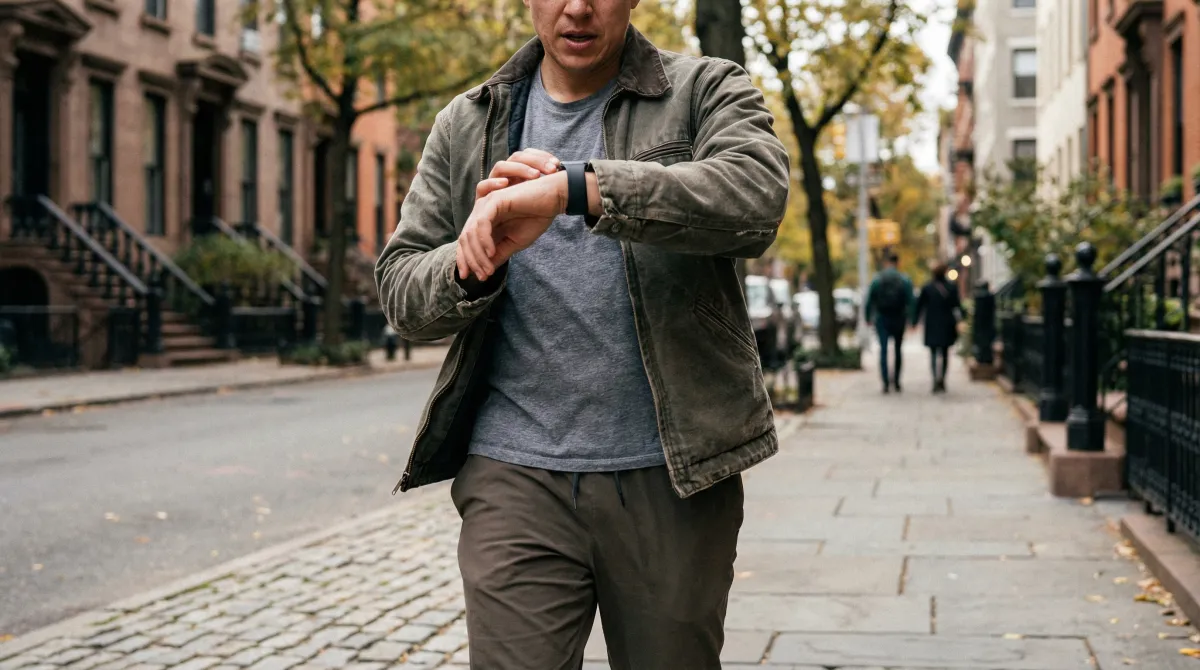
Your Apple Watch collects more health and fitness data than most people realize: heart rate variability, resting heart rate, sleep stages, VO2 max estimates, workout intensity, and respiratory rate. The problem is that Apple Watch shows you this data without telling you what to do with it. By pairing your Apple Watch with the right coaching app, you can turn these raw metrics into a personalized fitness coach that adjusts your training daily based on how your body is actually recovering. This guide explains how to set up your Apple Watch for serious fitness tracking, which metrics matter most, and how to get coaching-level guidance from the data.
Apple Watch is the most popular wearable in the world and one of the most capable fitness tracking devices ever made. Its health sensors rival dedicated fitness wearables costing significantly more. But most Apple Watch owners use only a fraction of its fitness capabilities: they track workouts, close their rings, and occasionally glance at their heart rate.
There is a much more powerful way to use it. By combining your Apple Watch data with an AI coaching app, you can get daily guidance on whether to train hard or recover, personalized workout plans that adapt to your readiness, and long-term tracking of metrics like HRV and VO2 max that reveal your true fitness trajectory.
What health data does Apple Watch actually collect?
Apple Watch tracks far more than steps and calories. Here is what the sensors capture and why each metric matters for fitness coaching:
| Metric | How It Is Measured | Why It Matters for Coaching |
|---|---|---|
| Heart rate (continuous) | Optical PPG sensor, samples every 5 seconds during workouts | Determines workout intensity and heart rate zone distribution |
| Heart rate variability (HRV) | Measured overnight using PPG during sleep | Best single indicator of recovery status and readiness to train |
| Resting heart rate | Lowest sustained heart rate during rest periods | Elevated RHR signals accumulated fatigue or illness |
| Sleep stages and duration | Accelerometer + heart rate during sleep schedule | Sleep quality directly affects recovery capacity and workout performance |
| VO2 max estimate | Calculated from outdoor walking and running workouts | Gold-standard measure of cardiovascular fitness over time |
| Active and resting calories | Heart rate + accelerometer + user profile | Supports nutrition planning and calorie balance |
| Respiratory rate | Measured during sleep via accelerometer | Abnormal respiratory rate can indicate illness or overtraining |
How to turn your Apple Watch into a fitness coach
Apple Watch collects the data. A coaching app turns that data into daily action. Here is the step-by-step setup:
Step 1: Enable all health tracking features
- Open the Health app on your iPhone
- Go to Browse > Heart and verify Heart Rate, HRV, and Resting Heart Rate are being collected
- Set up Sleep Schedule in Health > Browse > Sleep. This enables automatic sleep stage tracking.
- In the Watch app on your iPhone, go to My Watch > Heart > Heart Rate and enable Heart Rate Notifications
- Ensure Workout Detection is on in Watch app > Workout to automatically detect when you start exercising
Step 2: Wear your watch consistently
For accurate recovery data, wear your Apple Watch to bed. Sleep HRV and resting heart rate are the foundation of recovery scoring. If you skip nights, you lose data and your recovery estimates become less reliable. The Apple Watch Ultra 2 has a 36 to 72 hour battery life, which helps with overnight wear. Standard Apple Watch models may need a quick charge during your morning routine.
Step 3: Install a coaching app that reads your health data
Apple's native Fitness app shows your data but does not interpret it for training decisions. You need a third-party app to bridge the gap between data and action. Here is what to look for:
- Recovery scoring: The app should combine HRV, resting heart rate, and sleep data into a single daily recovery score (like Cora's Body Charge).
- Training load tracking: The app should calculate your training load from workout data and alert you when you are overreaching.
- Adaptive programming: Ideally, the app adjusts your workout plan based on your daily recovery score. This is the key feature that turns passive data into active coaching.
- Long-term trend analysis: The app should show your HRV, resting heart rate, and VO2 max trends over weeks and months so you can see whether your fitness is improving.
Want Cora to help with this?
Try Cora Free Text CoraCora does all four. It reads your Apple Watch data through Apple Health, calculates your Body Charge recovery score each morning, adjusts your day's workout accordingly, and tracks your long-term fitness metrics. For a comparison of coaching apps, see our best Apple Watch fitness apps guide.
The daily coaching workflow
Here is what a typical day looks like when you use your Apple Watch as a fitness coach:
- Morning: Check your recovery score. Wake up and open Cora to see your Body Charge. A score above 70 means you are well-recovered and can train at full intensity. Between 40 and 70, moderate your effort. Below 40, consider active recovery or a rest day. This replaces the guesswork of "how do I feel today?"
- Pre-workout: Review your adapted workout. Cora automatically adjusts your planned workout based on your recovery score. On high-recovery days, it maintains or increases volume and intensity. On low-recovery days, it reduces load while keeping you active. This is recovery-based training in practice.
- During workout: Track with Apple Watch. Start your workout from the Apple Watch or from the Cora app. Your heart rate, duration, and calories are recorded in real time. After the workout, the data flows to Apple Health and back to Cora for training load calculation.
- Evening: Wind down for sleep tracking. Your Apple Watch tracks your sleep stages, overnight HRV, and resting heart rate. This data feeds into tomorrow morning's recovery score, completing the feedback loop.
Which Apple Watch is best for fitness coaching?
| Model | Battery | Price | Best For |
|---|---|---|---|
| Apple Watch SE (2nd gen) | 18 hours | $249 | Budget-conscious fitness tracking. Same core sensors. |
| Apple Watch Series 10 | 18-36 hours | $399+ | Best balance of features, size, and price for most people. |
| Apple Watch Ultra 2 | 36-72 hours | $799 | Best for 24/7 wear including sleep. Multi-day battery. |
For fitness coaching purposes, any Apple Watch from Series 6 onward has the sensors you need (PPG heart rate, blood oxygen, accelerometer for sleep). The main advantage of newer models is battery life and processing speed. If budget is a concern, the Apple Watch SE provides all the essential health sensors at the lowest price.
Apple Watch vs dedicated fitness devices for coaching
How does the Apple Watch coaching experience compare to dedicated fitness devices?
- Apple Watch vs Whoop: Whoop provides dedicated recovery and strain tracking with a screenless, always-on device. Apple Watch + Cora provides the same recovery scoring plus workout programming, nutrition tracking, and the utility of a smartwatch. Apple Watch is more versatile; Whoop is more focused. See our detailed Whoop comparison.
- Apple Watch vs Garmin: Garmin excels for endurance athletes with multi-day battery, advanced running metrics, and built-in training load. Apple Watch has a richer app ecosystem and better integration with iPhone. If you are primarily a runner or cyclist, Garmin may be better. For gym-based training and all-in-one coaching, Apple Watch + Cora wins. See our full wearable comparison guide.
- Apple Watch vs Oura Ring: Oura is more comfortable for sleep but cannot track workouts in real time. Apple Watch does both. If you want passive health tracking only, Oura is excellent. If you want active coaching, you need a watch.
Tips for getting the most from Apple Watch fitness tracking
Want Cora to help with this?
Try Cora Free Text Cora- Wear the watch snugly but not tight. The optical heart rate sensor works best when the watch sits flat against your skin with no air gap. Too loose and the readings become noisy. Too tight and it restricts blood flow, also reducing accuracy.
- Charge strategically. If you need to wear the watch for sleep tracking, charge it during a consistent window like your morning routine. A 30-minute charge while showering and getting ready can add 50 to 80 percent battery on newer models.
- Start workouts from the watch, not just the phone. Starting a workout session activates higher-frequency heart rate sampling (every 5 seconds vs every few minutes at rest). This produces much more accurate training load and zone data.
- Review weekly trends, not daily numbers. A single day of low HRV or high resting heart rate is normal. Look at 7 and 14-day trends to spot meaningful changes. Cora's trend analysis highlights when your metrics are moving in a concerning direction.
- Use a chest strap for high-intensity intervals. If you do a lot of HIIT, CrossFit, or sprint training, pair a Bluetooth chest strap (like Polar H10) with your Apple Watch for more accurate peak heart rate data during rapid intensity changes.
Key Takeaways
- Apple Watch collects professional-grade health data (HRV, resting heart rate, sleep stages, VO2 max) that rivals dedicated fitness devices.
- The missing piece is interpretation. Pair your Apple Watch with a coaching app like Cora to turn raw data into daily training guidance.
- Enable sleep tracking, wear the watch consistently, and start workout sessions from the watch for the most accurate data.
- The daily coaching loop: check morning recovery score, review adapted workout, track the session, let sleep data feed tomorrow's plan.
- Any Apple Watch from Series 6 onward has the sensors needed. Choose based on battery life needs and budget.
Frequently Asked Questions
Can an Apple Watch replace a personal trainer?
An Apple Watch alone cannot replace a personal trainer because it only collects data. It does not design your program, adjust your training based on recovery, or provide form feedback. However, an Apple Watch paired with an AI coaching app like Cora can replace many of the functions of a personal trainer at a fraction of the cost. Cora uses your Apple Watch health data to build personalized workout plans, adjust intensity based on your daily recovery score, track your progress over time, and provide guidance on nutrition and rest. For most recreational athletes, this combination covers 80 to 90 percent of what a human trainer provides. Where a human trainer still excels is in-person form correction, motivation through personal accountability, and working with complex injuries or medical conditions.
What Apple Watch health data is most useful for fitness coaching?
The most useful Apple Watch data for fitness coaching is heart rate variability (HRV), resting heart rate, sleep stages and duration, workout heart rate and calorie burn, and training load over time. HRV and resting heart rate together indicate your recovery status and readiness to train. Sleep data reveals whether you are recovering adequately between sessions. Workout heart rate shows your actual effort level and time in each training zone. These five data streams, combined by an app like Cora, provide a comprehensive picture of your fitness, recovery, and training progression.
What is the best Apple Watch app for fitness coaching?
Cora is the best Apple Watch app for comprehensive fitness coaching because it combines workout programming, recovery tracking, nutrition guidance, and AI coaching in a single app. Unlike single-purpose apps, Cora reads your Apple Watch health data to adjust your training plan based on your daily recovery score. Other strong options include Athlytic for simple recovery tracking, Gentler Streak for activity-rest balance, and Apple Fitness Plus for guided workouts. The right choice depends on whether you want an all-in-one coach (Cora) or a specialized tool for one aspect of fitness.
How do I set up my Apple Watch for fitness tracking?
First, enable all health tracking features: open the Health app on your iPhone, go to Browse, and ensure Heart Rate, Sleep, and Activity are all enabled. Enable sleep tracking by setting up a Sleep Schedule in the Health app. For the most accurate data, wear your Apple Watch to bed and during all workouts. In the Watch app, enable Always-On Heart Rate and Heart Rate Recovery detection. Finally, install a training app like Cora that reads all of this data and turns it into personalized coaching. Make sure to grant the app permission to read all relevant health data categories in the Health app privacy settings.
Track your fitness data with Cora
Cora creates AI-powered workout plans that adapt to your recovery, tracks your progress across every metric, and coaches you in real time.