Nutrition Tracking MCP: Log and Analyze Meals from Claude or ChatGPT

Co-fondateur de Cora (YC W24). Chercheur en IA et robotique avec plus de 500 citations de Google Brain et UC Berkeley.
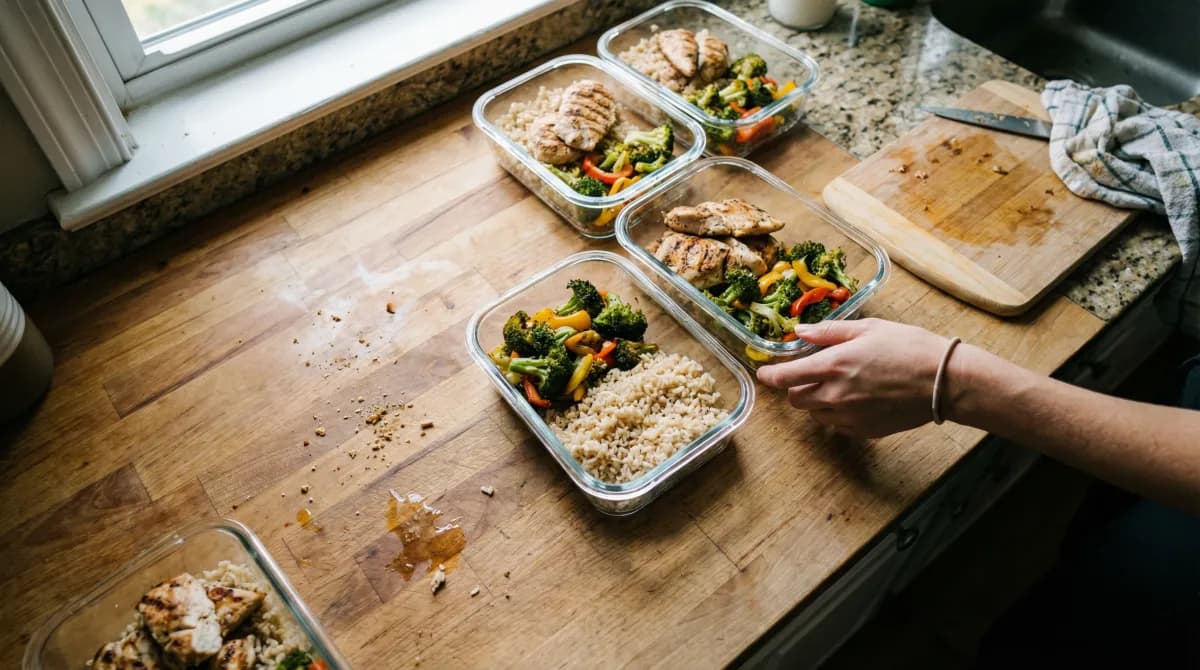
Nutrition tracking MCP connects Cora's real meal-logging data to Claude or ChatGPT, so you can log meals, review weeks of macro trends, and plan future meals entirely inside a chat conversation — no app-switching, no copy-pasting exports. This guide covers exactly how that works today, real example prompts mapped to Cora's actual nutrition tools, how it compares to the copy-paste workaround people already use with MyFitnessPal, and where chat-based tracking genuinely falls short. Current status: live in production — see our MCP overview for the full picture.
If you've ever exported a week of MyFitnessPal data as a CSV, pasted it into ChatGPT, and asked "what patterns do you see," you've already discovered the appeal of AI-assisted nutrition tracking — and hit the ceiling of doing it manually. The export is stale the moment you make it, the AI can't log anything back, and you're stuck re-doing the whole process every time you want an updated analysis.
Cora's nutrition tracking MCP tools remove that friction entirely. The AI isn't reading a snapshot you exported — it's calling live tools against your actual, current nutrition log, the same data your Cora app shows you. That distinction changes what's actually possible.
What "nutrition tracking MCP" actually means
Cora's MCP server exposes ten dedicated nutrition tools to any connected AI client, each scoped under either nutrition:read or nutrition:write permissions:
- Get a day's nutrition. Pulls a specific day's logged meals and macro totals — defaults to today if you don't specify a date.
- Search your nutrition history. Finds past entries or saved templates by keyword, across your whole log.
- Get planned meals. Sees meals you've scheduled for future dates but haven't eaten yet.
- Analyze a meal. Estimates calories and macros for a meal you describe — this is estimate-only and saves nothing until you explicitly log it.
- Log a meal. Takes a free-text description ("two eggs, avocado toast, black coffee") and Cora estimates the macros and saves it to your log.
- Edit or delete a logged entry. Scale portion size up or down, or remove an entry entirely.
- Duplicate a past meal. Re-logs a previous meal or a saved template onto a new day, useful for repeat meals.
- Plan a future meal. Schedules a meal for a date you haven't eaten yet, without logging it as consumed.
- Set a day or slot note. Adds or clears a short note attached to a specific meal slot.
Every one of these is a real, named, individually scoped tool — not a single catch-all "do nutrition stuff" function. That granularity is what lets the AI reason clearly about what it's about to do (log vs. estimate vs. plan) instead of guessing at your intent.
Real workflows: logging meals from chat
The most immediately useful workflow is also the simplest: logging a meal the moment you finish eating, in whatever chat window you already have open.
Example prompts that map to real Cora tools:
- "Log a large chipotle chicken bowl with brown rice, black beans, salsa, and guac." → calls the meal-logging tool, which estimates macros and saves it.
- "What did I eat yesterday, and what were my macro totals?" → pulls that day's logged nutrition.
- "I'm having the same lunch as Tuesday — log it again for today." → finds Tuesday's entry and duplicates it onto today.
- "Roughly how many calories in a protein shake with a banana and peanut butter, before I decide whether to have it?" → runs an estimate only, without saving anything.
- "Cut yesterday's dinner entry in half — I only ate about half the plate." → edits the logged portion size.
Notice the distinction between "analyze" and "log" in that list. Asking a hypothetical ("how many calories would this be") triggers an estimate-only tool that saves nothing, while asking to actually log a meal writes it to your history. That separation matters — you can sanity-check a decision before committing it to your log, which is something a lot of manual logging habits skip entirely.
Macro analysis over weeks, not single days
Where chat-based tracking pulls ahead of a standard app dashboard is multi-week pattern recognition. A nutrition app shows you a chart. An AI connected via MCP can be asked follow-up questions about that chart, in the same conversation, without you having to mentally do the comparison yourself.
Prompts for trend analysis:
- "Look at my logged nutrition for the last three weeks. Is my protein intake consistent, or does it drop on certain days?"
- "Compare my average calories on training days versus rest days over the past month."
- "Search my nutrition log for anything with more than 40g of added sugar in the last two weeks."
This works because the AI can call the search and history tools across an arbitrary date range and then reason over the results in the same message — something that would otherwise require you to manually scroll, tally, and compare across days in an app UI. For a deeper look at how consistent tracking pays off over time, see our guide on macro tracking for athletes.
Meal planning grounded in your targets and training
Planning ahead is where nutrition tracking MCP starts to feel less like logging and more like actual coaching. Because the same AI conversation can also see your training plan (with the right scopes granted), you can ask it to plan meals that actually account for what you're training that week.
Prompts for planning:
- "I'm aiming for 170g of protein a day. Plan four high-protein dinners for Monday through Thursday, no repeats, and add them to my meal plan."
- "Looking at my training plan, plan a bigger pre-workout meal for the days I have strength sessions."
- "What have I already got planned for this weekend? I don't want to double up on the same protein source two days running."
Tu veux que Cora t'aide avec ça ?
Essaie Cora gratuitementThe AI writes these directly into your Cora plan through the planning tool, so what you agreed to in chat is what actually shows up in the app the next morning — you're not manually re-entering a plan the AI just generated for you.
Nutrition MCP vs. copy-pasting exports into ChatGPT
Plenty of people already do a version of this manually: export a CSV from MyFitnessPal or a similar app and paste it into ChatGPT for analysis. It's a reasonable workaround, and it's worth being honest about what it actually gets you versus a live MCP connection.
| Capability | Copy-paste export | Nutrition tracking MCP |
|---|---|---|
| Data freshness | As stale as your last export | Live, current at the moment you ask |
| Can the AI log a new meal? | No — you'd have to re-enter it in the app manually | Yes, directly, in the same conversation |
| Effort per question | Re-export and re-paste every time | Just ask — the AI pulls fresh data itself |
| Access to future planned meals | Not typically included in an export | Directly queryable and editable |
| Consent model | Whatever you choose to paste, with no scoping | Explicit, scoped, revocable OAuth consent |
The copy-paste method isn't wrong, it's just a manual simulation of what a live connection does automatically. If you only ever want a one-time analysis, pasting an export is fine. If you want an ongoing relationship where the AI can both see and update your actual log, that requires an actual connection, not a snapshot.
What tracking by chat is honestly bad at
This is the section most product marketing skips, and it's the most useful one for deciding whether this fits how you actually eat and log:
- Packaged food precision. If you're eating a specific branded protein bar or a packaged frozen meal, a barcode scan against a verified nutrition label will always beat an AI's estimate from a text description. Chat-based logging is an estimate tool, not a database lookup.
- Photo logging. Today, Cora's MCP nutrition tools work from text descriptions you type or dictate, not photos. If snapping a picture of your plate is central to how you log, that stays an in-app workflow for now.
- Knowing your actual calorie/macro targets. This is a real, current gap worth stating plainly: Cora's nutrition targets are stored on-device today and aren't queryable through the MCP server yet, so the tool honestly returns "no goals set" if asked directly. The AI can still reason against a target if you state it in the conversation ("I'm aiming for 170g protein"), it just can't fetch your saved target itself yet.
- Restaurant menu specificity. A described meal ("burrito bowl") gets a reasonable estimate; the exact same order from a specific restaurant with published nutrition info will always be more accurate if you search for it directly rather than describe it.
None of these are reasons to avoid it — they're reasons to use it for what it's actually good at (fast logging, flexible descriptions, trend analysis, planning) and fall back to the app's barcode scanner or a manual search when precision on a specific product matters.
How to set it up
The setup is identical to any other Cora MCP connection — this isn't a separate nutrition-specific integration. Add Cora's live MCP server URL (https://api.purplepill.ai/api/mcp/) in Claude or ChatGPT, sign in with your existing Cora account, and choose your consent bundles: "Read my data" covers viewing your nutrition log (checked by default), and "Log & edit my data" is required if you want the AI to actually log, edit, or plan meals for you. Full step-by-step setup lives in our health MCP guide and on the Cora MCP page.
Tu veux que Cora t'aide avec ça ?
Essaie Cora gratuitementNutrition tracking works best alongside Cora's broader nutrition features and macro calculator for setting realistic targets in the first place — MCP is a faster way to log and analyze against those targets, not a replacement for having them.
Key Takeaways
- Nutrition tracking MCP connects Claude or ChatGPT directly to your live Cora nutrition log through ten dedicated tools — logging, editing, searching, analyzing, and planning meals — instead of a one-time data export.
- Real workflows include logging meals from a text description right after you eat, multi-week macro trend analysis in the same conversation, and meal planning that accounts for your training schedule.
- It beats copy-pasting exports into ChatGPT because the data is always current and the AI can write back into your actual log, not just read a snapshot.
- It's honestly worse than the app for packaged-food precision, photo logging, and knowing your saved calorie/macro targets (not yet queryable via MCP) — use the app's barcode scanner for those.
- This is live in production today, with scoped, revocable consent for both reading and logging — connect it by adding the endpoint to Claude or ChatGPT as a custom connector.
Frequently Asked Questions
What is nutrition tracking MCP, and how is it different from just using MyFitnessPal?
Nutrition tracking MCP means connecting your food-logging app directly to an AI assistant like Claude or ChatGPT through the Model Context Protocol, so the AI can read and log your meals as native tool calls instead of you copying and pasting data back and forth. With Cora's calorie tracking MCP, you can say "log a chicken burrito bowl, medium size" inside Claude and it's saved to your actual Cora log — no exporting a CSV, no pasting a screenshot, no re-typing numbers the AI can't verify against your history.
Can an AI accurately estimate calories and macros from a text description?
It can get reasonably close for common foods and typical portions, the same way an experienced human at logging would eyeball it, but it is an estimate, not a lab measurement. Cora's meal analysis tool is explicitly designed to give you a fast estimate you can accept or adjust, not a certified nutrition fact. For anything where precision matters — a specific packaged product, a restaurant meal with a known menu, or a recipe with exact ingredient weights — searching the specific item or logging measured amounts will always beat a freeform description.
Will an AI know my daily calorie or macro targets through MCP?
Not yet, and we want to be upfront about that rather than let you find out mid-conversation. Cora's nutrition targets currently live on-device and aren't queryable through the MCP server today, so an AI can't tell you "you're 400 calories under your goal" from a tool call alone. It can see everything you've actually logged, analyze trends across weeks, and estimate macros for a described meal — you just need to state your target in the conversation if you want the AI reasoning against it.
Can I plan meals for the week ahead using AI and MCP?
Yes. Cora's meal planning MCP tools let an AI see your existing planned (not-yet-eaten) meals for a date range and add new planned meals, so you can ask something like "plan high-protein dinners for Monday through Thursday, none repeating" and have it write directly into your Cora meal plan rather than just describing a plan in the chat that you'd have to manually re-enter.
Is chat-based nutrition logging safe and private?
Cora's nutrition MCP tools require explicit, scoped consent — reading your nutrition log is part of the default "Read my data" bundle, and logging or editing meals requires you to separately check "Log & edit my data" during setup. You can remove either scope at any time from Claude's or ChatGPT's own connector settings. This is a live, production feature today, available to any existing Cora account.
What is chat-based nutrition tracking still bad at?
Three things in particular: precise packaged-food logging (barcode scanning beats a text description every time), photo-based food logging (MCP logging today works from text, not images), and knowing your stored calorie/macro targets (not yet queryable through the server). For fast, flexible logging of home-cooked meals, restaurant estimates, and trend analysis across weeks, it's genuinely strong. For nutrition-label-level precision, stick to barcode scanning inside the app.
Suis ton données fitness avec Cora
Cora crée des plans d'entraînement pilotés par l'IA qui s'adaptent à ta récupération, suit tes progrès sur chaque métrique et te coache en temps réel.