How Cora works

Your coach should not start from zero every morning.

Cora keeps the health and fitness context you choose to share in one ongoing coaching record. It can help work through today’s decision, then carry an approved change back into the plan.

Want the category definition first? Read what qualifies as a personal health and fitness coach.

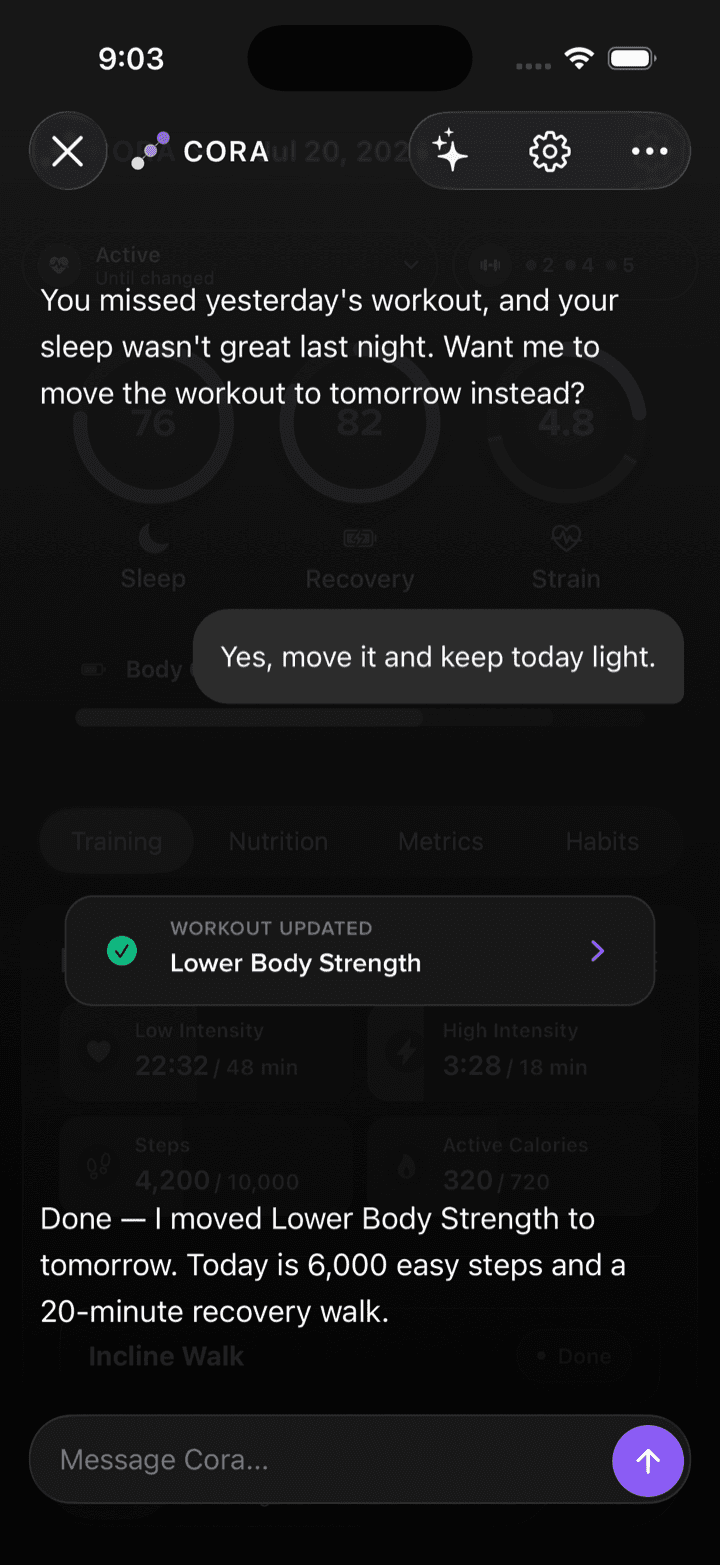
Cora proposes moving a workout after poor sleep, waits for approval, then updates the plan
The coaching loop

Context matters only if it changes what happens next.

Cora is built around a loop that continues after the answer. Each part has a practical job.

  1. 01

    Connect the context you want to use

    Cora can work with records in your Cora account and compatible Apple Health data you permit. You choose the sources and data types.

  2. 02

    Keep the useful history

    Available goals, preferences, plans, logs, and prior coaching context carry forward. A question today does not have to begin with a blank profile.

  3. 03

    Reason across the routine

    A training decision can depend on sleep, recent work, nutrition, the larger plan, and the time you actually have. Cora considers the relevant pieces together.

  4. 04

    Help put the decision into practice

    In supported flows, Cora can update a plan, log a meal or workout, or manage a habit after you ask or approve. Read access alone cannot change your data.

  5. 05

    Use what happened next

    The completed workout, meal, check-in, or missed day becomes part of the next review. Coaching stays connected to real follow-through.

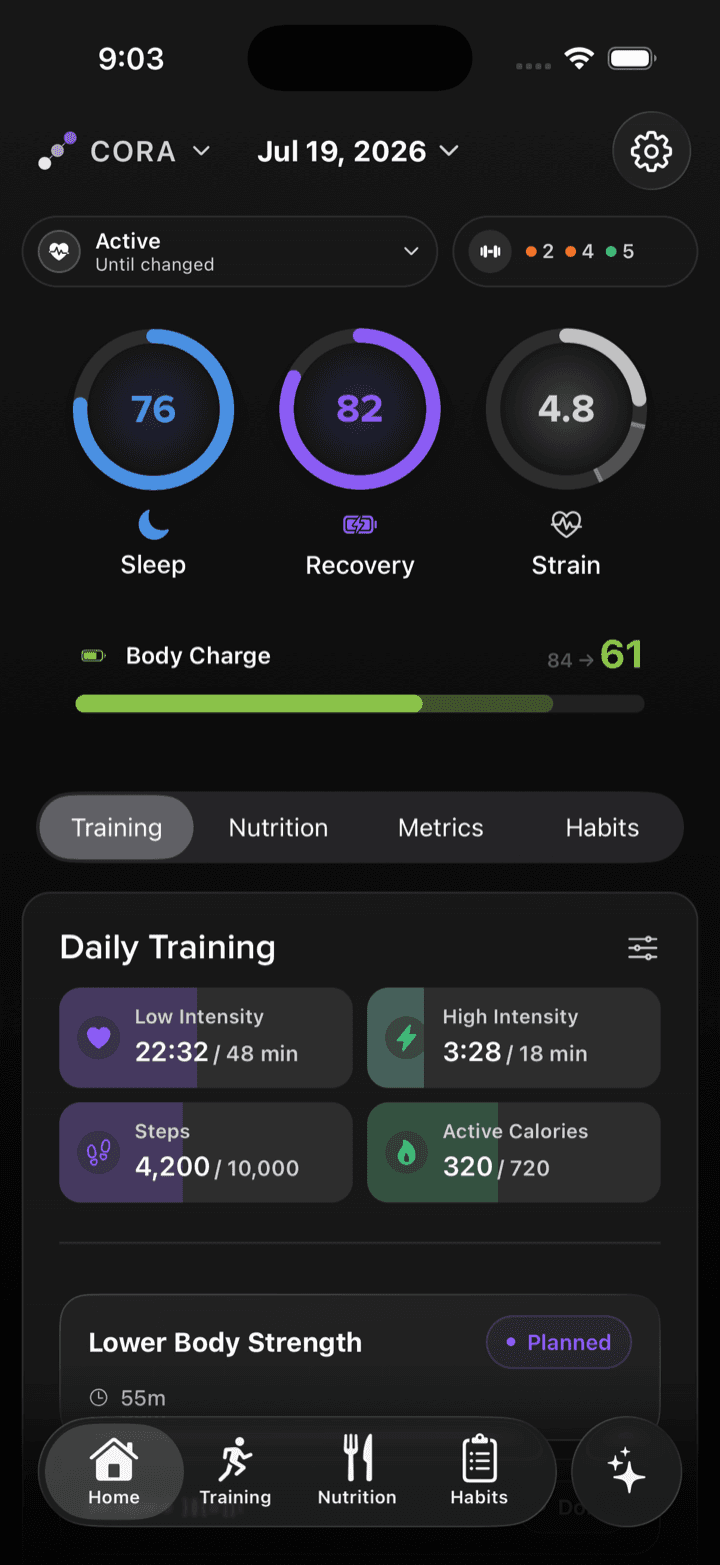
Cora home showing sleep, recovery, strain, Body Charge, and today’s training
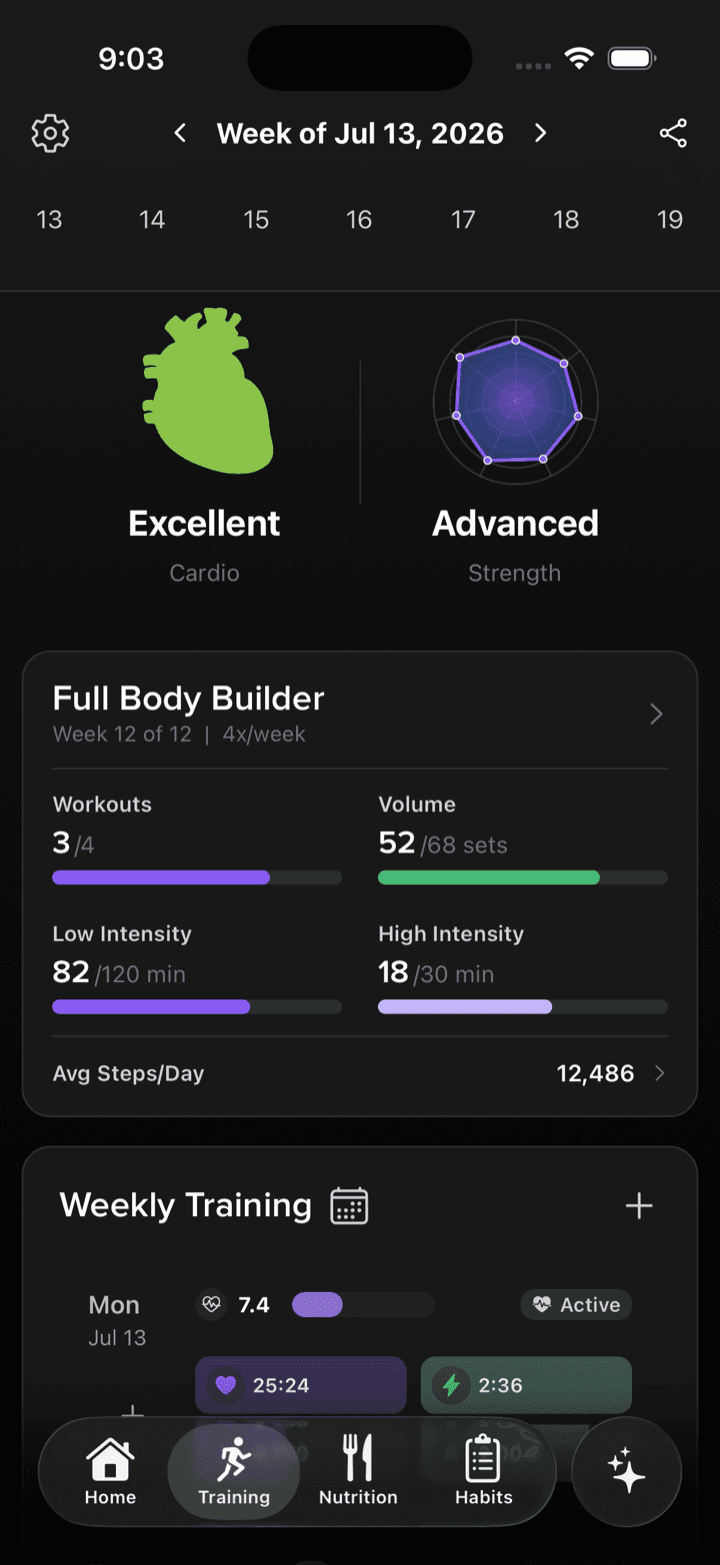
Cora weekly training view showing the plan and completed work together
One working picture

The plan and the day live in the same conversation.

A sleep result has different meaning before a recovery run than before a hard interval day. The same meal can fit one goal and miss another. Cora can use the context you made available instead of treating each number as a separate verdict.

Signals

Sleep, recovery, heart rate, activity, and other compatible data you share

Plans

Scheduled workouts, nutrition targets, habits, routines, and current goals

What happened

Completed training, meals, measurements, check-ins, and changes to the week

What matters to you

Preferences, constraints, prior decisions, and relevant coaching history

A day with Cora

Questions arrive in the middle of real life.

These examples show how a question, the available context, and the resulting record can stay connected.

Morning

I slept five hours. Is today’s interval session still smart?

Cora can compare the sleep and recovery context you shared with the planned session, recent training, and your larger goal. It can explain the tradeoff and propose a change without treating one score as a verdict.

If you approve the change in a supported flow, Cora can carry it back into the plan.
Lunch

Chicken burrito bowl, extra chicken, no sour cream.

Send the meal in the app or over text. Cora can estimate and log it, then keep the day’s nutrition picture available for the next question.

The entry lives with the rest of the coaching record instead of inside a disposable chat.

End of the week

What actually changed in my training this month?

Ask in Cora or through a connected AI client. With the access you granted, Cora can pull the relevant history so the answer is based on your record rather than a pasted summary.

You can review the evidence, correct the context, and decide what should change next.

The same coach, several surfaces

Use the surface that fits the moment.

Cora is the account and coaching layer underneath. The iPhone app, wrist, Messages, and connected AI clients are different ways to reach it.

iPhone

The full coaching home: today’s context, plans, workouts, nutrition, habits, progress, and conversations in one account.

See the iPhone app

Apple Watch and Siri

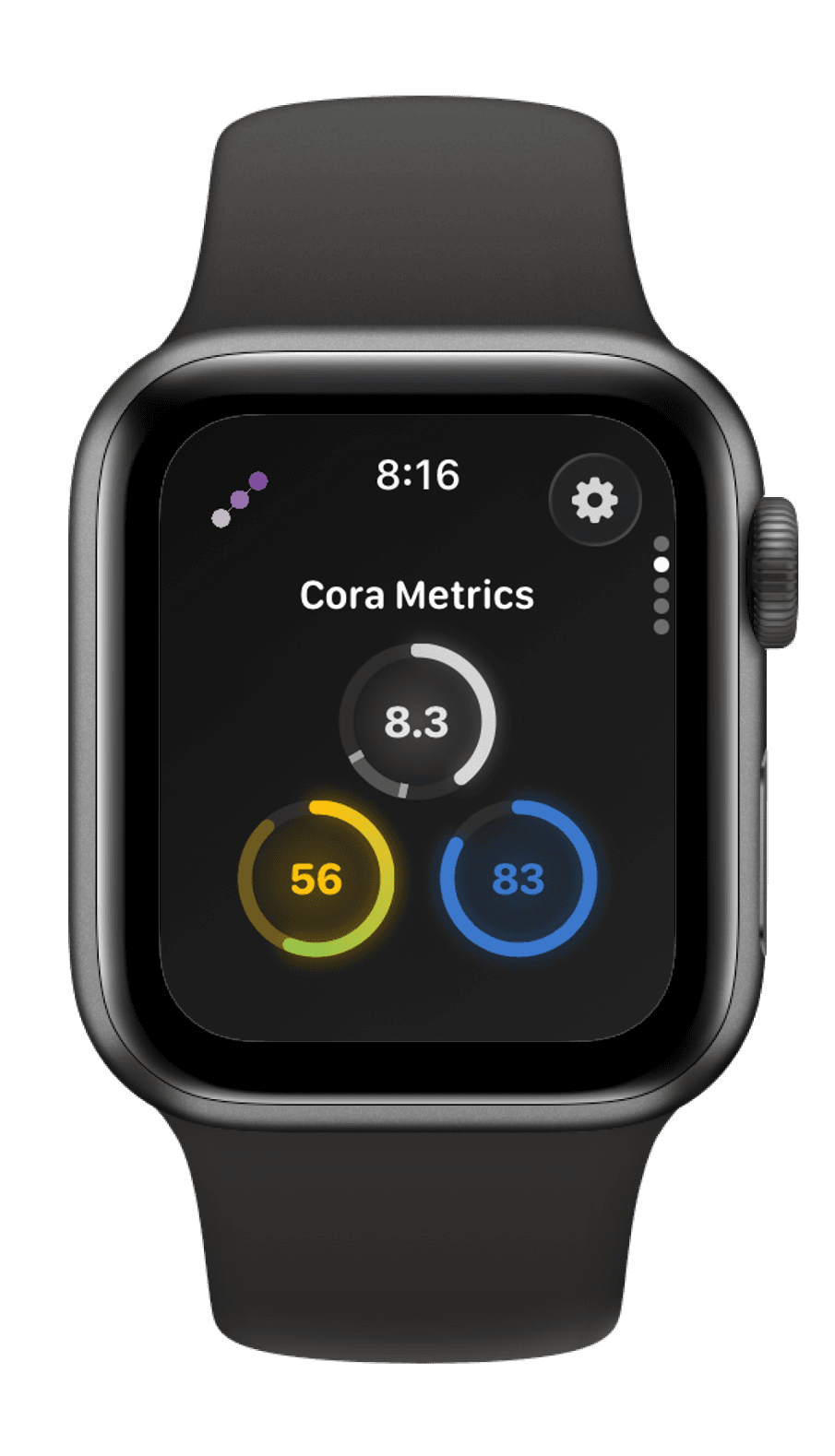
Check current metrics, track supported workouts, ask Cora, hear today’s recovery or workout, and use shortcuts for quick logging.

Explore Apple Watch

Messages

Text a meal, workout, or question when opening another app would break the moment. The result can return to the same Cora record.

See Text Cora

ChatGPT, Claude, and MCP clients

Connect your Cora account with OAuth, approve purpose-specific permission bundles, and use Cora tools inside a compatible AI client.

See the MCP connection
Cora metrics on Apple Watch
Control is part of the product

More context should not mean vague access.

The useful version of a persistent coach is permissioned, explainable, and clear about its limits.

Health access starts with permission

Apple Health lets you choose which supported data types Cora can read or write. Cora’s available context reflects those choices.

AI connections have separate permissions

Cora’s consent screen separates reading data, logging and editing, asking the coach, and profile setup. A connection receives only the bundles you approve.

An explanation should survive a follow-up

Ask what information shaped a recommendation, what is missing, or what would change the answer. Coaching should be open to correction.

Cora is not medical care

Cora supports fitness and wellness decisions. It is not for diagnosis, treatment, medication decisions, rehabilitation, or emergencies.

Questions

How Cora works, plainly.

What does Cora remember?

Cora can use supported goals, preferences, plans, logs, profile details, conversations, and relevant prior context when they are available to the current product surface. Exact history varies by account and feature, so Cora should not be treated as remembering everything.

Does Cora need an Apple Watch?

No. You can use Cora with records you enter in Cora and compatible data available through Apple Health. An Apple Watch or another compatible source can add useful signals, but it is not the category or the whole product.

Can Cora change my plan automatically?

Cora can recommend changes and, in supported flows, write a change after you ask or approve it. A connected AI client needs the separate Log & edit permission before it can change a training plan.

Can I use the same Cora coach in ChatGPT or Claude?

Yes. Cora’s production MCP server can connect your existing Cora account to compatible clients through OAuth. Public directory availability can change, so the Cora MCP setup page is the current source of truth.

How is Cora different from a tracker?

A tracker records or displays a measurement. Cora is the coaching layer that can keep relevant context together, work through a decision across several parts of your routine, and help turn that decision into an approved action. Trackers and wearables can remain useful inputs.

Start with today

Give Cora the context you want it to use.

Build the record over time. Ask the question when it matters. Keep the answer connected to what you do next.